Quick Start
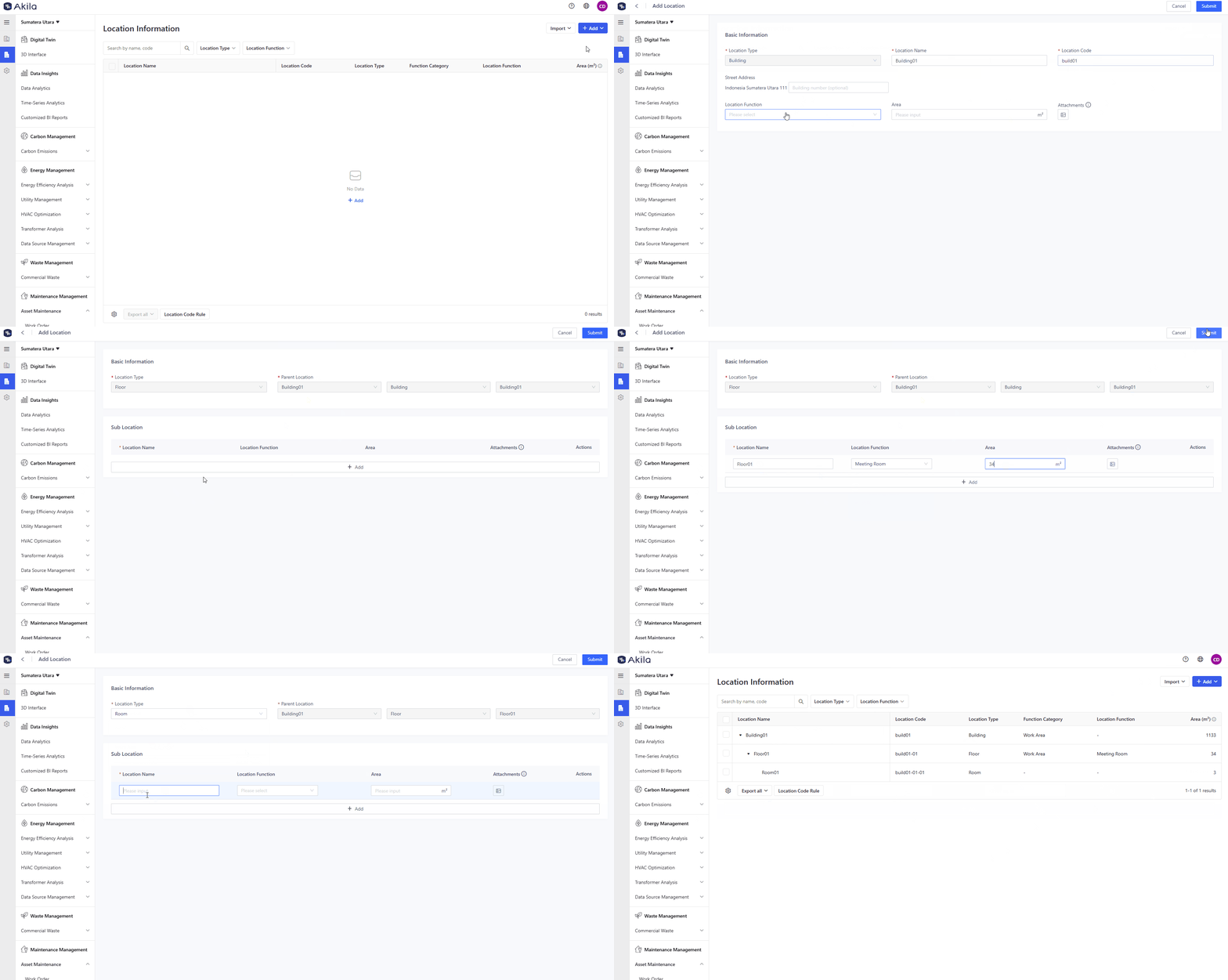
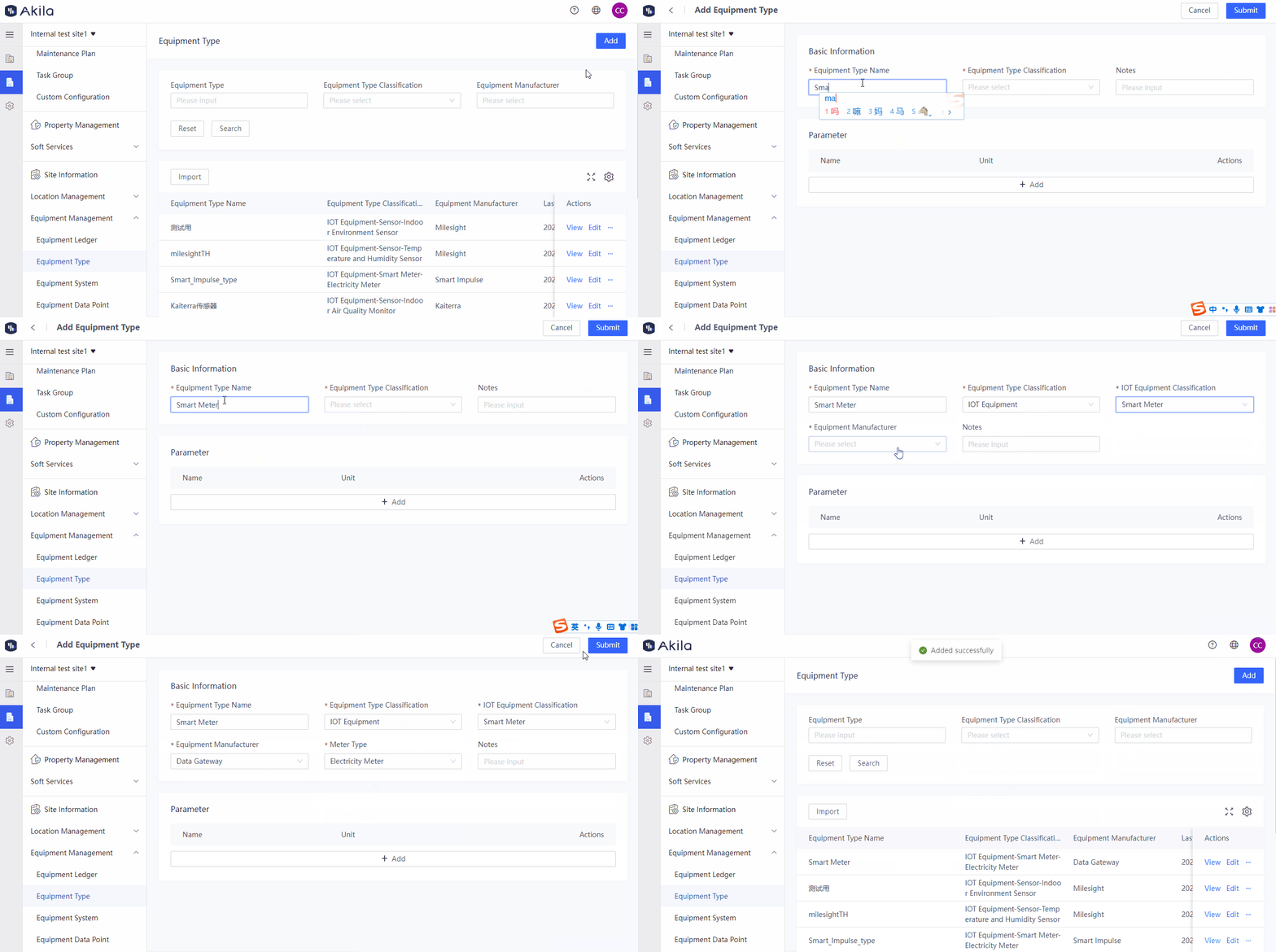
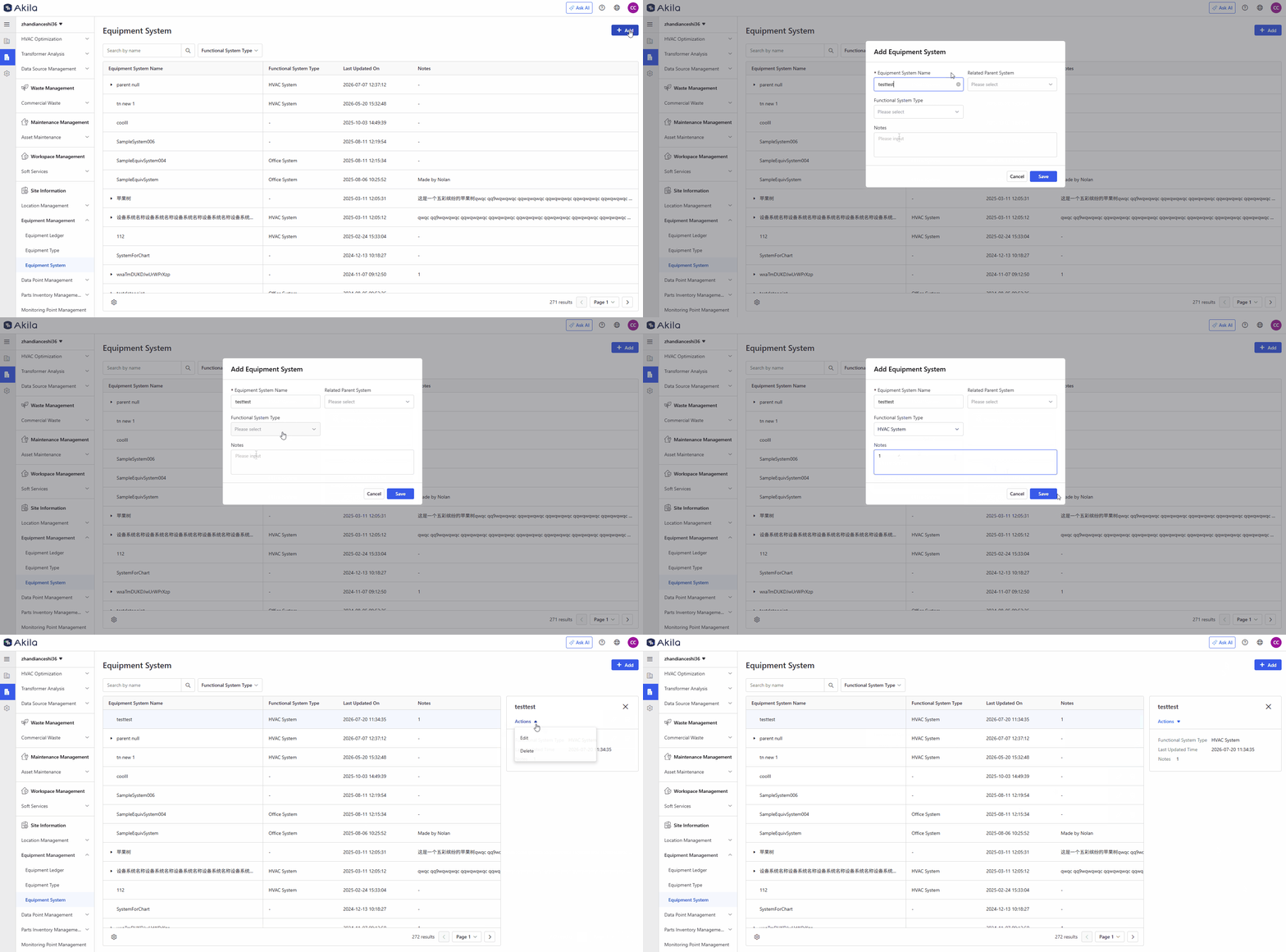
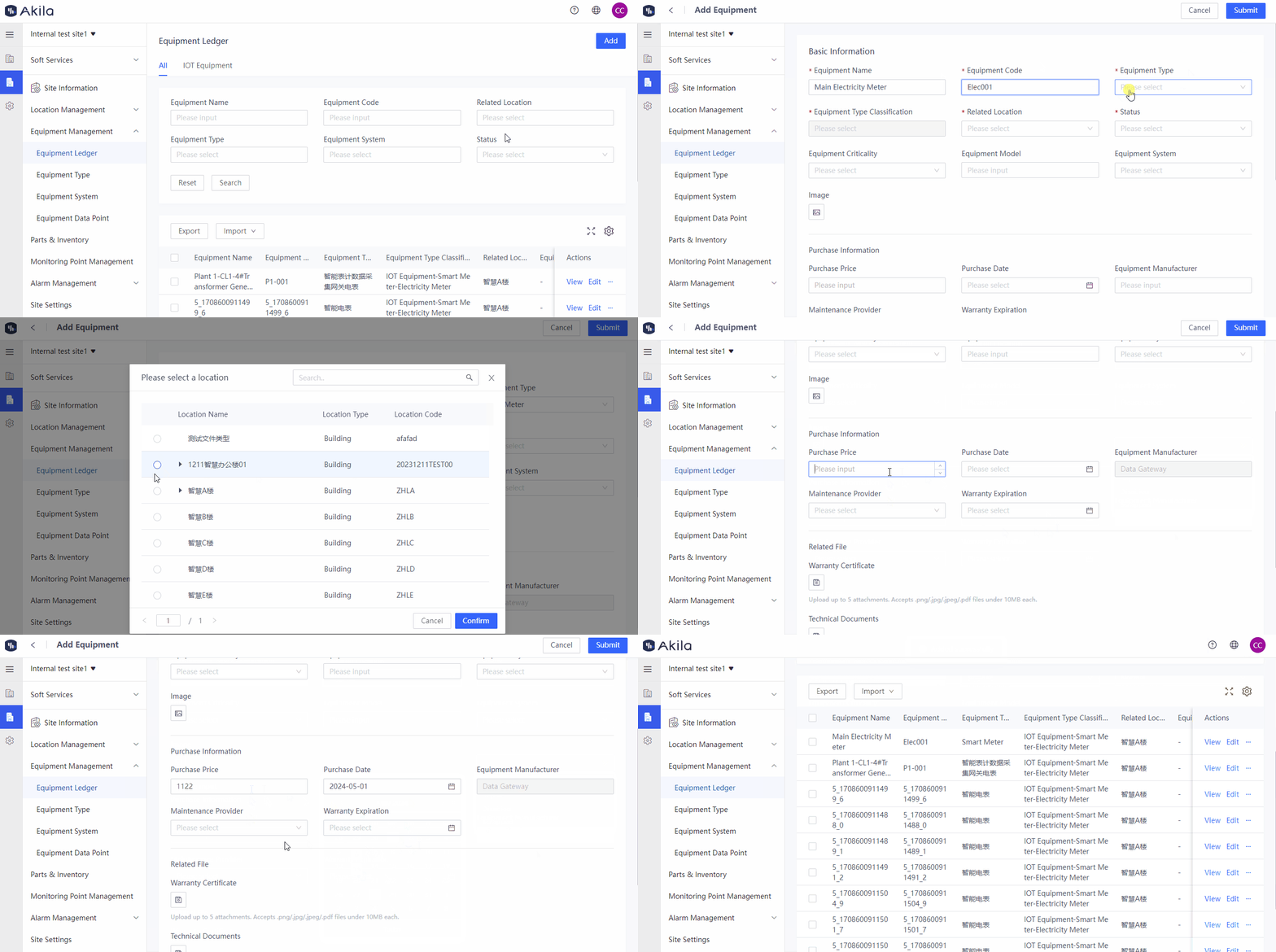
This page describes how to initialize the platform as a superadmin (creating the required users, departments, and roles) and how to quickly begin the basic configuration as platform configuration personnel and a manager after the super administrator has created the user roles. In other words, it covers all the basic and necessary actions you need to take to start using Akila.
After reading this page, you will understand:
-
The first steps in using the platform
-
The basic configuration steps for setting up the platform
Initial Setup Process
Upon purchasing access to the Akila Platform, a pre-selected organization administrator from your company will receive an email from no-reply@akila3d.com containing a username, password, and a link to the platform.
This is the first user type with the authority to create new roles in the system. Upon initial login, the Superuser will be presented with the portfolio management page. After purchasing the digital twin model, the administrator can access the 3D interface page.
As a Superuser, your first task should be to navigate to the User Management page to create new users, set up roles, and organize the organization's departments.
Quick Start Process
The quick start process is a mandatory step in platform initialization. If you have IoT devices and need to view IoT data, you may need to complete a data point matching process (for assistance, contact the Akila delivery team) in addition to the quick start process. This will enable you to view the relevant IoT data on our platform. If you do not need to view IoT data, you can follow the quick start process outlined below.